What’s new in October: MCP asset uploads, SAML enforcement, and more customizations
Written by Kelsey Bernius, John Siciliano
The agents actually asked for one of the bigger ships this month. Agents requested the ability to upload assets via the Sanity MCP server’s feedback tool. Now they can. Images and files from public URLs now go straight into your dataset or Media Library, with no upload dialog in the way.
Other October releases include SAML requirements for new joiners and custom dimensions within Sanity Context. Read more about the releases below 👇
Agents can finish a migration without you (if you want)
Images and files from public URLs, your computer, or ChatGPT can now go straight into Sanity, with no upload dialog in the way. An agent could move text content into Sanity but stalled at images and files. A human had to step in and upload them through a dialog.
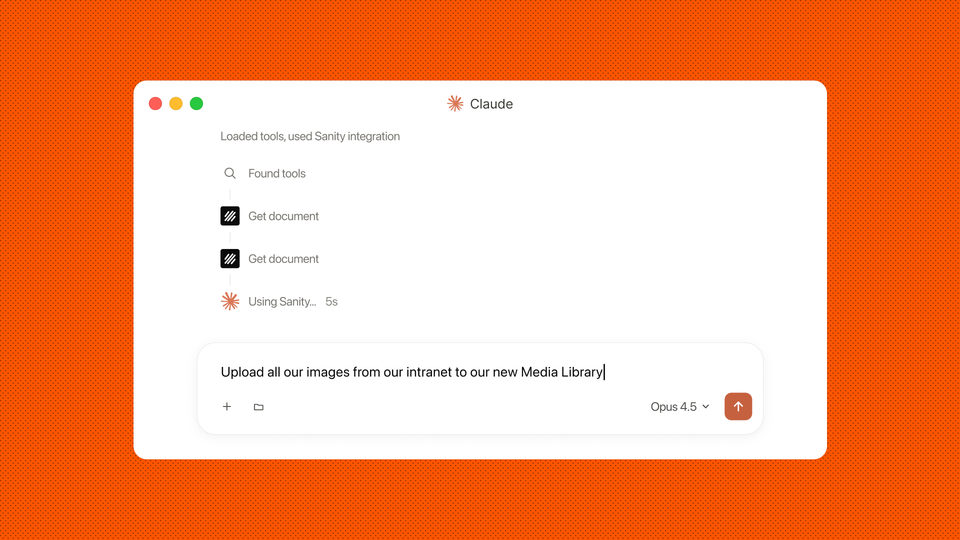
The Sanity MCP server now has four tools that close that gap, covering three kinds of sources:
- dataset_assets_upload_from_url uploads assets from public URLs into a dataset.
- media_library_upload_from_url uploads assets from public URLs into Media Library.
- dataset_assets_upload_from_file uploads local images and files into a dataset.
- dataset_assets_upload_from_web_chatgpt uploads attachments and generated files from ChatGPT on the web into a dataset.
An agent can take an existing site, move its content and images into Sanity, and serve them from the Sanity CDN without anyone opening an upload dialog. Assets behind a login no longer need a workaround. Download them and the agent can upload them from your machine. In ChatGPT, you can ask for an image and have it land in your dataset in the same conversation.
For teams planning a replatform, that changes what you can hand off. You can point an agent at the old site and review the result in Sanity Studio, instead of uploading every image yourself.
Keep new members on SAML
Enterprise organizations using SAML SSO can now turn on Prevent non-SAML users in Manage, under Settings > SAML SSO. The setting appears once SAML SSO is enabled, and it's off by default.
Once you turn it on, only a SAML identity from your identity provider can accept an invitation or request access. Anyone trying to join without one is prompted to log in with SAML instead. Existing members keep their access.
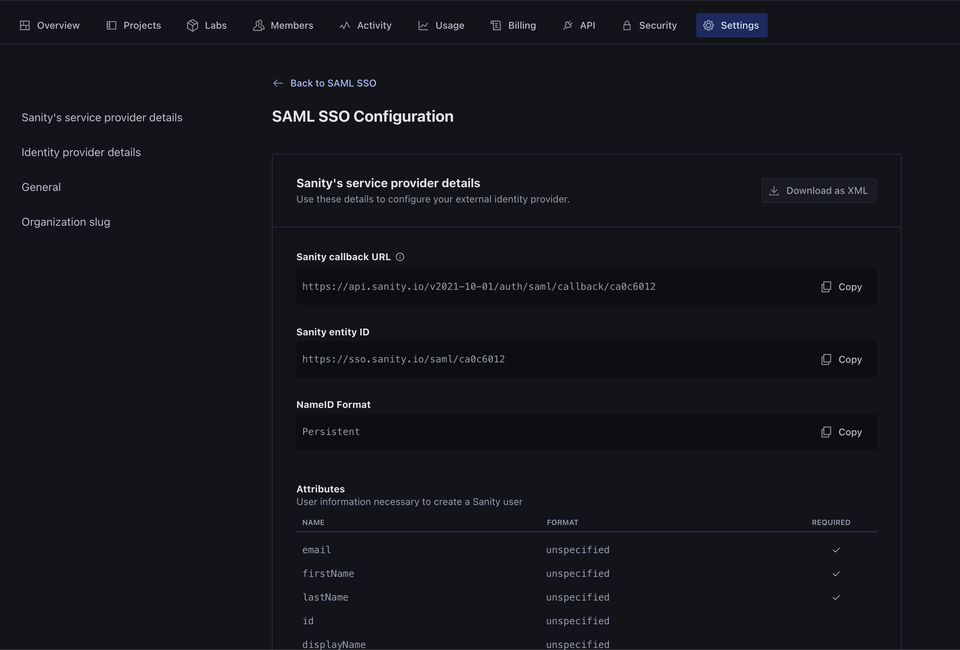
Without this setting, someone could accept an invite with a personal email and end up with an account your identity provider never sees. Now every new member comes through SAML.
To move your whole organization to SAML, you'll need to remove older non-SAML accounts separately. Sanity doesn't merge duplicate accounts, so confirm each SAML identity has the right roles before you remove the old one. Your Sanity account team can help you map permissions over.
Slice Insights by your own dimensions
Insights is the part of Sanity Context that tells you how your agent is doing. Each conversation gets a success score, a sentiment rating, and a list of the content gaps behind weak answers.
Insights now accepts custom dimensions. Pass any key-value pair into the data store, and the key shows up in the Insights dashboard as a filter and a drill-down. Track plan tier, and you can see whether enterprise users get weaker answers than free users. Track deployment region, and you can spot a region that keeps hitting the same content gap. You define the key, and the dashboard picks it up.
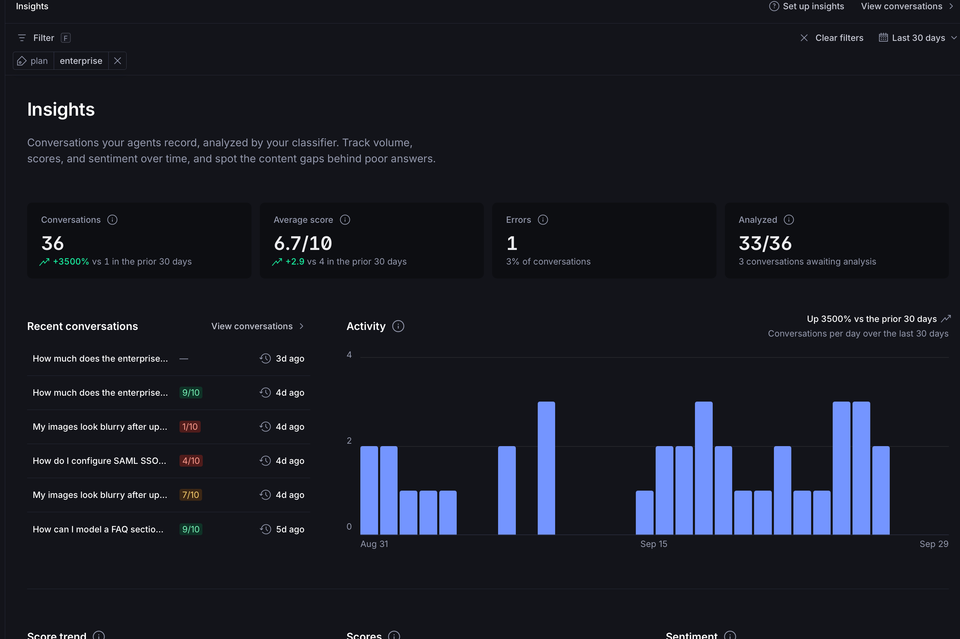
An overall success score can look healthy while one group of users keeps getting bad answers. Custom dimensions show you which group, so you know which content to fix first. You'll find it in the Context app under Insights.
Learn more about Insights in Sanity Context in the docs.
Community spotlight: Roboto Studio on Knowledge Bases
Roboto Studio, a Sanity agency partner, wrote a hands-on guide to Knowledge Bases in Sanity Context. It's a crystal clear explanation of when to use which retrieval mode. Live, structured facts like prices and stock levels belong in a direct query of your dataset. Questions that need several sources reconciled first belong in a Knowledge Base.
The guide also walks through how a build flags conflicting sources for a person to resolve. Pro tip: name an owner for each Knowledge Base before the first build runs.
Next, the Roboto team is running a build over their own site and blog to see whether they agree with themselves. Their guess: "We probably disagree, heavily." We're looking forward to the results.
That's it for October. Join us on Discord to see community projects and new releases as they ship. See you all in November.