Content Agent, meet Slack
Written by Even Westvang, Hollie Aghajani, Knut Melvær
Content Agent is part of Sanity’s AI platform for content operations. You tell it what you need in plain language: audit these landing pages against our brand guidelines, translate these product descriptions, fix the broken links in our help center. It knows your content model, understands how your pages and documents relate to each other, and does the work.
Until now, Content Agent lived in the Sanity Dashboard. Starting today, it works in Slack too. And for developers, we’re releasing a programmable API so you can build Content Agent into your own tools and workflows. (We’re submitting to the Slack App Directory for review. For now, use the install link.)
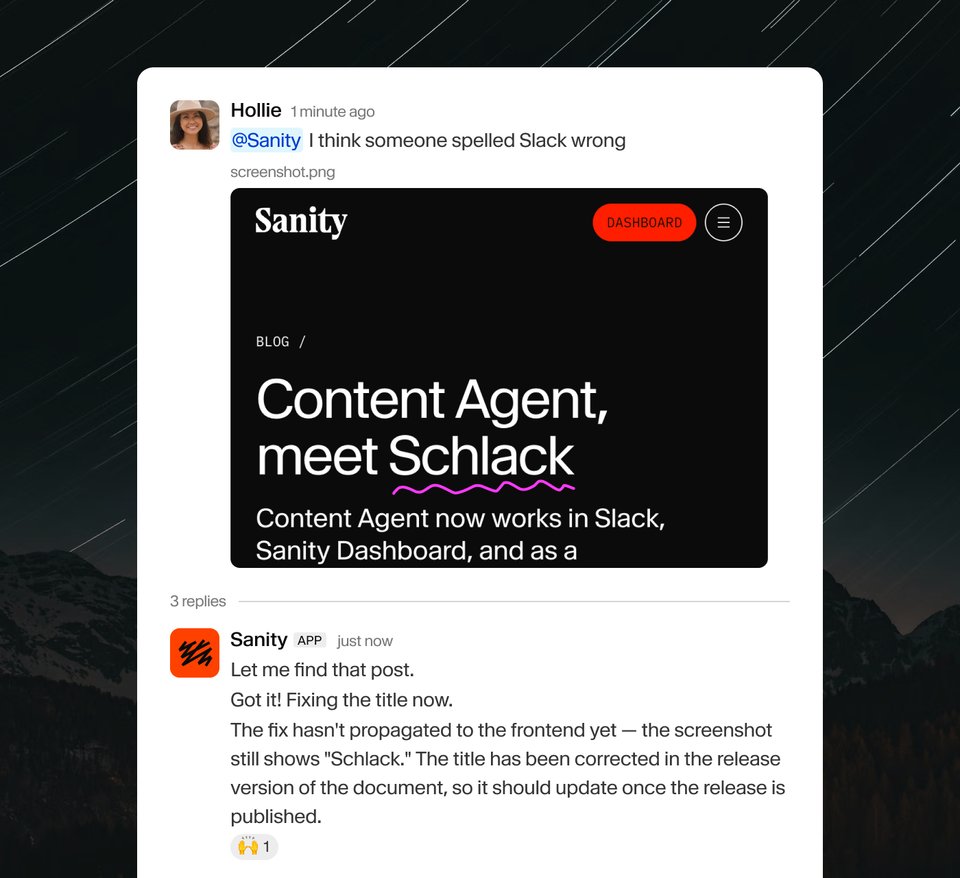
Here’s us using it to fix a totally accidental typo in this blog post title.
Why Slack matters for content operations
Content work involves people who don't all live in the CMS day to day. A product manager spots outdated pricing in a Slack thread. A translator flags a tone issue. A marketing lead wants the campaign headline updated before it goes live. They know what needs to change. Today, that means asking someone to open the CMS and make the edit, or learning the workflow themselves.
Most content AI tools don't help here. They live inside the editing interface, so you still need to be in the CMS to use them. And it’s on you to carry all the context to make the change correctly and report back. And while you are doing the edits, the conversation in Slack might have evolved.
Content Agent works differently. It already has all the context of your CMS. Bring it into the Slack conversation where the decision already happened, describe what you need, and the work gets done. The agent reports back in the same thread: here's what changed, here's the link to review it before you publish. Everyone in the conversation sees the fix confirmed.
No context switching, super-low friction to take action, no translation layer between "what we decided" and "what gets published."
Content Agent for Slack
The Slack agent runs as @Sanity in your workspace. You can message it directly or mention it in a channel or in a thread. Full content operations from a chat message: content audits, bulk edits, translations, validation checks, and questions about your content model.
It understands your content model. Content Agent knows your schemas, your field types, your references, your block content structures. It reads the actual content model to figure out how to navigate your data, not a simplified summary of it.
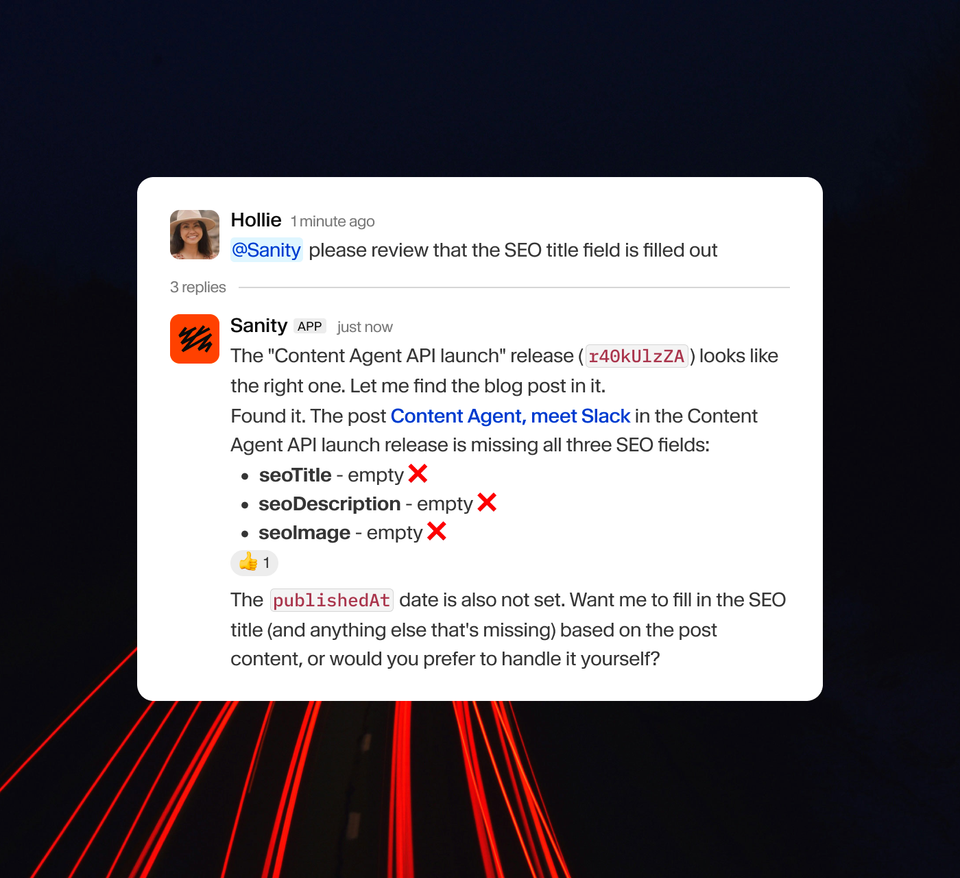
It reads the thread. Mention @Sanity in a thread and it sees the full conversation context, including screenshots and images. You don’t have to re-explain what you’re talking about. If your team has been going back and forth about a content issue for 15 messages, the agent picks up on that when it joins. This is what makes the difference between a chatbot you have to babysit and one that actually follows the conversation.
It searches your workspace. The agent can search your Slack workspace for relevant context. Ask about a feature that’s been discussed across multiple channels, and it pulls those threads together into a single answer. Your Slack history becomes queryable knowledge, not just a scroll-back archive.
It works in channels, not just DMs. Mention @Sanity in a project channel and your whole team can interact with it. Content questions get answered where the conversation already lives. Create a thread and it will go back and forth with you, as soon as someone else participates it switches to only reacting when mentioned.
It stages, it doesn’t publish. When Content Agent makes edits, it creates drafts. Nothing goes live until a human reviews and publishes. This is true in the Dashboard, in Slack, and through the API. The agent works within your existing publishing workflow, not around it. If your team uses content releases to bundle changes, the agent can stage edits into a release for batch review. If you want the agent to only read and never write, you can set that too.
How we’ve been using it
We've been using the Slack connector internally, and it immediately had access to all of our Sanity projects: marketing website, docs, customer tracking, AI agent skills, developer education courses, internal policies. A few examples from the past few days.
Content audit. We needed to review our existing content about Content Agent, so we asked @Sanity to find all articles mentioning… itself on the website. It returned 9 pieces of content across blog posts, docs, resources, and news, with direct Studio edit links for each.
Web page editing. We asked the agent which module to use for the “Content Agent, wherever you work” section on the product page. It analyzed the page schema, recommended the right module type, asked clarifying questions about placement and links, then wrote the new section into the draft. Full content ops conversation in Slack, with the agent doing the editing.
Reviewing content releases. Our developer education team used @Sanity to review a content release with 17 documents (one course and 16 lessons) before publishing. The agent loaded the company’s developer education and messaging guidelines from Skills Studio, checked the content against current documentation, and flagged inconsistencies across all 17 documents. An afternoon of review work compressed into a Slack thread.
Changelog creation. After noticing improved code syntax highlighting in the Content Agent chat, someone asked if it should go in the changelog. An engineer replied @Sanity make a changelog! The agent read the conversation context, created a new changelog entry in the Sanity Website studio with the right title, version number, publish date, and description. No template, no switching to the CMS, no remembering which fields are required. It picked up what the entry should be about from the thread itself.
Three surfaces, one agent
Here’s what makes this different from how most platforms approach AI: it’s the same underlying agent regardless of where you invoke it. Dashboard, Slack, or API. Same content model awareness. Same capabilities. Same governance. Every write goes through the same permission model, validation rules, and draft-before-publish workflow. You pick the right surface for the moment. Adding new surfaces doesn’t mean losing control.
Content Agent API
The Slack connector is built on the Content Agent API, which we’re now making available to everyone. The simplest way to get started is by installing the content-agent, which exposes the agent as a Vercel AI SDK provider. If you’ve used the AI SDK with OpenAI or Anthropic, this works the same way. But instead of a general-purpose LLM, you get an agent that already understands your content model and can read and write to your Content Lake.