Build a content-aware Telegram agent with Vercel AI SDK and Chat SDK
Written by Knut Melvær
If you’ve organized a conference, you know the last two weeks before the event. A speaker drops out at 11pm. A room change affects three sessions. Someone needs to know which sponsors haven’t sent their logos yet. The answers are all in your system somewhere, but “somewhere” means opening a laptop, logging into the CMS, running a filtered search, and hoping you remember which field tracks logo delivery status.
Conference organizers live in messaging apps. The group chat is where decisions happen, where problems surface, where someone says “can we move the AI panel to the big room?” and needs an answer in 30 seconds. The CMS is where the data lives. The gap between those two places is where things fall through.
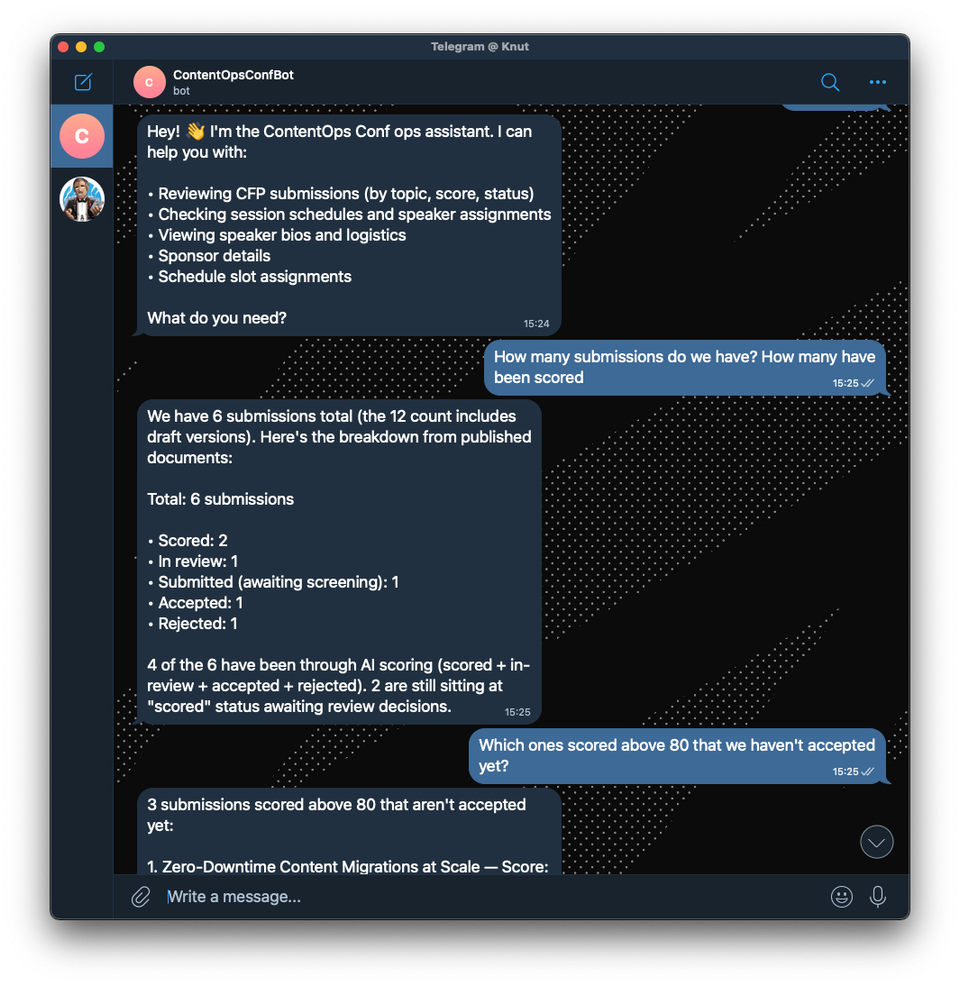
I built a Telegram agent for the fictive ContentOps Conf that closes that gap (but we might use this for our next conference). Organizers message the agent from their phones: “Which speakers haven’t confirmed travel yet?” “What submissions scored above 80?” “Create an announcement about the venue change.” Using the Content Agent API, the agent has read and write access to the Content Lake (Sanity’s hosted content API), scoped by GROQ filters, so it can answer questions and make changes without anyone opening the Studio.
The bot's access is controlled by GROQ filters (Sanity's query language), not prompt instructions. It literally cannot touch document types outside its filter, regardless of what a user asks. That’s a real security boundary, not a “please don’t do that” in the system prompt.
This is one half of a two-agent setup. The same Telegram app also has an attendee-facing concierge that uses a different architecture using Agent Context. This post covers the organizer side. The companion post covers the attendee agent.
The whole thing is about 100 lines of application code. Here’s how to build one.
What the agent can actually do
Because the Content Agent has read/write access to the Content Lake, this agent can:
- Query content: “What sessions are about AI?”, “Who’s speaking on Day 2?”, “Which submissions scored below 50?”
- Create content: “Create an announcement about the venue change”, “Add a note to the keynote session”, “Go on the web, find info about the new sponsor we just signed and add them”
- Update content: “Mark this submission as in-review”, “Update the session abstract”
- Cross-reference: “Which speakers don’t have sessions assigned yet?”, “What rooms are free at 2pm?”
The answers come from actual GROQ queries against your Content Lake, not from a language model’s training data. The agent knows your conference has 47 submissions because it counted them, not because it guessed.
What you need
- A Sanity account (free tier works) and a project with content in it
- A Telegram bot token (from @BotFather)
- A Sanity API token with Editor role
- The
content-agentpackage, Vercel AI SDK, and Chat SDK (an open-source library for building conversational apps with platform adapters)
Configure Content Agent with GROQ access filters
The handler uses Vercel AI SDK, a TypeScript toolkit that gives you a unified interface for working with language models. It handles streaming, tool calling, and message history so you don't have to. Here, we use its streamText function to pipe Content Agent responses back to Telegram as they arrive: